---
id: "brand/quickstart/payouts"
type: "doc"
url: "https://affitor.com/docs/brand/quickstart/payouts"
---
# Payouts
> How partner commissions move through Affitor's payout workflow.
When a commission clears its hold period, it is credited to the partner's balance. The partner then requests a withdrawal, and Affitor approves and sends it. This page explains the lifecycle, payout methods, and your role as advertiser.
## How payouts work
B[Affitor attributes the sale]
B --> C[Commission approved after hold]
C --> D[Partner balance credited]
D --> E[Partner requests withdrawal]
E --> F[Affitor approves and sends it]
C --> G[Affitor invoices you weekly]
G --> H[You pay the invoice]
`} />
Partner payouts are not held until you pay your invoice: once a commission is approved, the partner can withdraw it. Your weekly invoice covers those approved commissions plus the platform fee. See [Overdue invoices & program pause policy](/docs/brand/billing/overdue-policy).
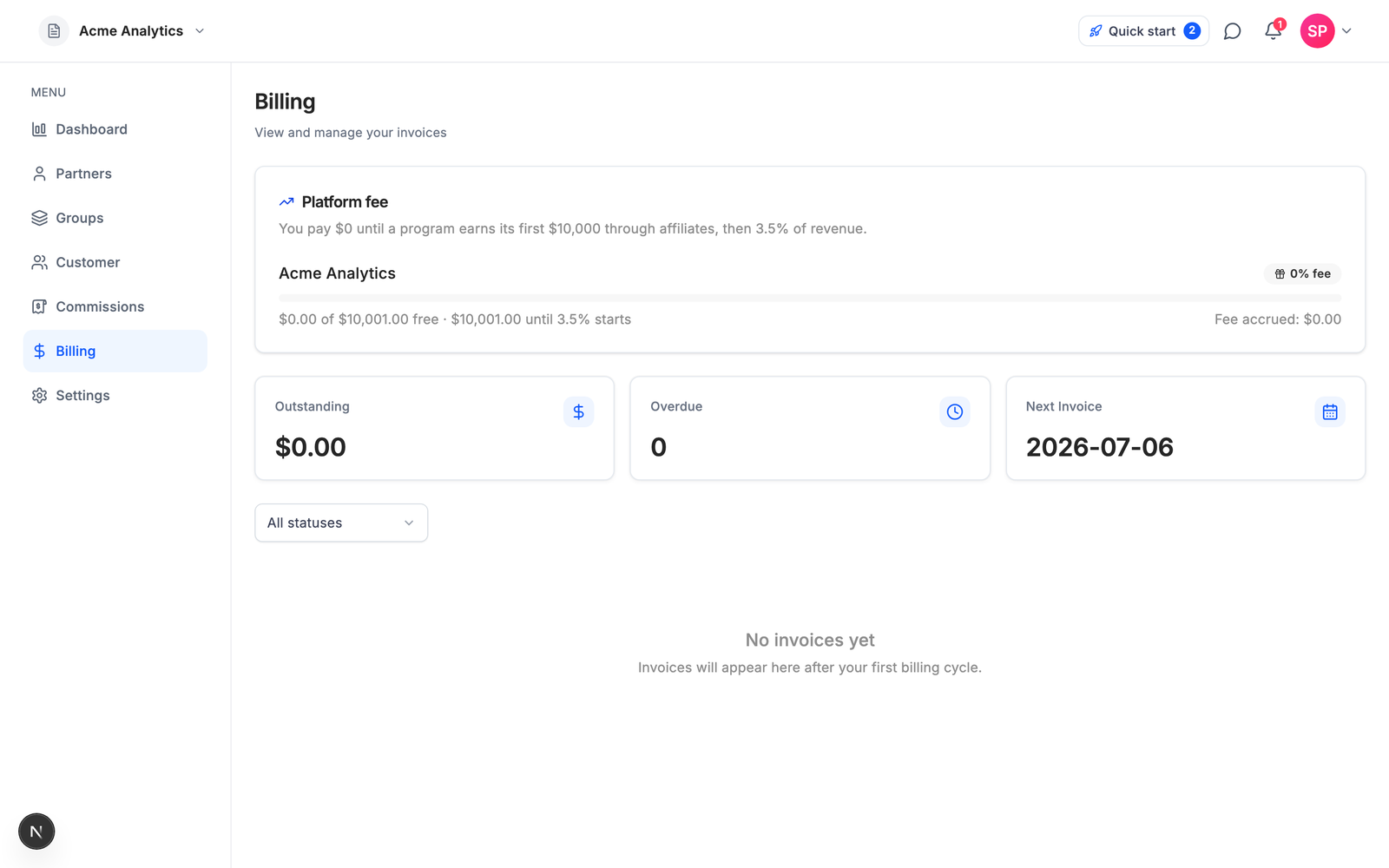
The platform fee follows the same principle: **$0 until your program earns its first $10,000 through affiliates, then 3.5% of affiliate-driven revenue.** You can see the fee accruing live on the Billing page.
Sale attributed
Commission created
Hold period
Commission approved
Partner requests withdrawal
At a high level:
1. A sale is attributed.
2. A commission is created.
3. The commission waits out the program's hold period. You can approve, reject, or extend the hold on it from the **Commissions** page.
4. When approved, the commission is added to the partner's balance and becomes withdrawable.
5. The partner requests a withdrawal; Affitor approves it and sends the transfer.
You do not need to manage individual partner transfers yourself.
---
## Payout Methods
Partners can withdraw by one of two methods:
| Method | Notes |
|--------|-------|
| Bank transfer | Common partner payout path |
| Wise | Used where supported |
Partners manage their payout details inside the payout workflow; advertisers do not need to collect bank details directly.
---
## Payout Status States
| State | Meaning |
|-------|---------|
| **Pending** | Withdrawal requested, awaiting approval |
| **Approved** | Approved and ready to send (partners see this as **Processing**) |
| **Completed** | Payout sent |
---
## Your Role as Advertiser
| Do | Don’t |
|----|-------|
| Review transactions and commissions where needed | Manage individual partner bank transfers |
| Configure commission and hold settings | Build a separate payout ops layer for each partner |
| Monitor affiliate cost and performance | Send partner payouts yourself |
---
## Verify it worked
## Refunds
A refund before the commission is approved removes it before it reaches the partner. After approval, the amount is taken back from the partner's balance. If the commission was already collected, the partner's balance can go negative and you get a notification: reconciling with the partner is a manual step. Platform fees already billed are not refunded. See [Commission approval & cash flow](/docs/brand/quickstart/commission-approval-cash-flow#refund-handling).
---